

### Blog Post:
Desk Air Purifier solutions are not a luxury—they are rapidly becoming a daily essential for anyone who spends four or more hours at a desk, especially in remote or hybrid work environments. If you care about keeping your mind sharp and your lungs healthy, the evidence is clear: indoor desk-level air quality directly impacts your cognitive performance and well-being, and choosing the right purifier is a purchase that should be driven by science, not just hype.
Key Takeaways
- Peer-reviewed 2024 research proves even modest increases in PM2.5 and CO2 at your desk measurably slow your response time and lower decision-making accuracy—a proven reason to invest in a Desk Air Purifier and Workspace Air Quality Monitor.
- Top-performing HEPA desktop purifiers and VOC sensor desks should offer True HEPA (H13+), a dedicated activated carbon layer, accurate low-noise operation (<35 dBA), and reliable app/auto-mode integration for smart control.
- Budget for recurring filter costs, check integration options for air quality monitoring, and always validate specs and real-world test data before buying—avoid overpriced “smart” gadgets that fail on basic clean air performance.
- Why desk-level air quality directly matters for productivity and health
- What a Desk Air Purifier actually needs to remove (pollutants that matter)
- How to evaluate technical specs
- Integration: combining Workspace Air Quality Monitors with Desk Air Purifiers
- Typical user pain points (effectiveness, noise, maintenance) and how to avoid them
- Shortlist of features that top-rated desk purifiers and VOC sensor desks should have
- Prices, warranties, and recurring costs—how to budget for a clean air workspace device
- Buying workflow—step-by-step decision tree
- Frequently asked questions
- Regulations, expert guidance, and safety notes
- Three overlooked angles to make this post stand out
Why desk-level air quality directly matters for productivity and health
If you work at a desk for several hours a day, even small increases in pollutant levels can quietly erode both your health and your sharpest thinking.
Global studies in 2024 (CogFx/Harvard) found that every 10 μg/m³ of local PM2.5 exposure makes response times 0.8–0.9% slower and throughput 0.8–1.7% lower. Just 500 ppm more CO2 (common in poorly ventilated home offices) cuts response time by up to 1.8% and throughput by up to 2.4%. School IAQ reviews show results are even more drastic for high CO2—levels above 1,000 ppm produce 10–20% cognitive decline and a 15% jump in asthma exacerbations.
Temperature and humidity control also matter. A 2024 NIOSH study reported that thermal discomfort (too warm or cool) compounds cognitive impairment, with even 640 ppm CO2 linked to slightly poorer test scores (NIOSH 2024). The upshot: if you want to actually perform at your best, a Desk Air Purifier and a reliable Workspace Air Quality Monitor are no longer optional.
What a Desk Air Purifier actually needs to remove (pollutants that matter)
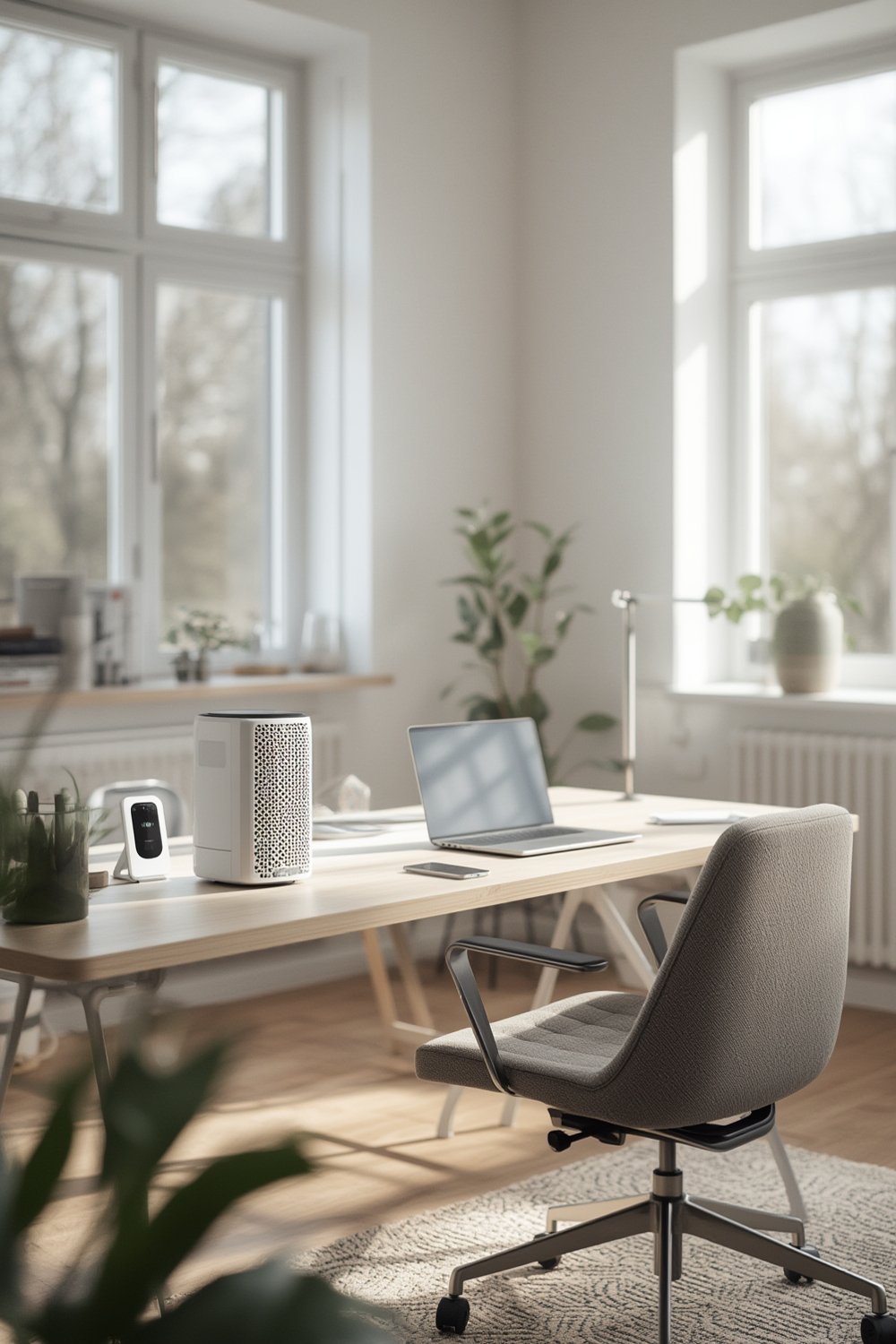
To deliver real impact on cognitive clarity and respiratory health, a HEPA desktop purifier should target the following pollutants:
- PM2.5 (fine particles) – Proven to lower decision-making speed/accuracy per each 10 μg/m³ increment. Source: traffic, cooking, dust.
- Allergens – Dust mites, pet dander, pollen. Triggers for sinus and asthma symptoms.
- VOCs (volatile organic compounds) – Emitted by office equipment, cleaners, off-gassing plastics. Linked to headaches, fatigue, and irritant symptoms. Best removed by a carbon layer and detected by a VOC sensor desk.
- Ozone – Should be avoided. Electrostatically charged “ionic” purifiers may emit ozone, worsening air quality.
- CO2 (carbon dioxide) – A critical ventilation marker, but not removed by air purifiers; only increased ventilation or source control helps. However, monitoring CO2 is an actionable step to spot stale, under-ventilated air.
Recent research demonstrates a tight link between PM2.5 and CO2 with measurable cognitive losses (see review). As a rule: PM2.5 and VOCs are where a purifier with a reliable HEPA/carbon filter shines, while CO2 requires monitoring and active ventilation.
Explore ergonomic desk setup strategies to further boost the benefits of improved air and workspace comfort.
How to evaluate technical specs
Translating purifier marketing into results: focus on the following specs to ensure your Desk Air Purifier isn’t just decorative.
- CADR (Clean Air Delivery Rate): For a standard 10–20 ft² desk area, a CADR of at least 50 cfm (or 85 m3/hr) is a good baseline. Higher is better for larger desk or shared spaces. This ensures you drop PM2.5 quickly enough to matter.
- True HEPA filter (H13/H14): Not all “HEPA-type” filters meet the 99.97% removal standard. Demand H13-class or better, confirmed by independent lab data where available.
- VOC/Carbon Layer: For VOCs, ensure a thick activated carbon pre-filter (not just “nano” coatings) and confirm specs—grams of carbon matter.
- VOC sensor desk integration: Choose between metal-oxide (cheaper, sometimes less accurate) and electrochemical sensors (pricier, but more reliable for workspace air quality monitors). Look for real test data, not just “smart” branding.
- Noise level: Critical for desk use. Under 35 dBA on low/auto mode is ideal; up to 45 dBA on high for quick clearing. If the fan is annoying at “effective” speeds, it’s a problem.
- Filter life and replacement cost: Check manufacturer’s rated hours (typical: 6–12 months). Budget $20–$80 per year for filters. Some models offer subscription savings.
These technical choices are not hypothetical: Global CogFx research shows even small PM2.5 increases impact outputs, meaning the right CADR and True HEPA level is pivotal—not just “nice to have.”
For advanced ergonomic improvements, see our Smart Standing Desk Productivity Guide.
Integration: combining Workspace Air Quality Monitors with Desk Air Purifiers
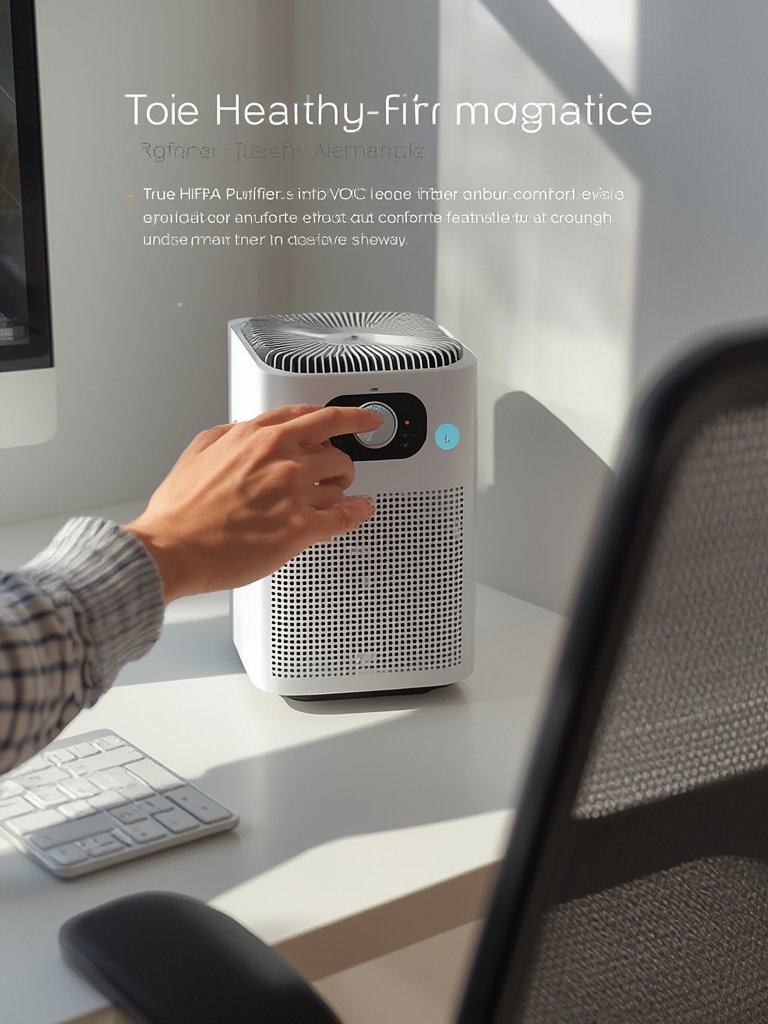
Modern clean air workspace device models offer three main strategies for measurement and control:
- All-in-one units – Combine Desk Air Purifier with Workspace Air Quality Monitor (built-in PM, VOC, and sometimes CO2 sensors, plus display/app). Example: IKEA FÖRNUFTIG with third-party sensor, Coway Airmega with app integration (verify as of Jun 2024).
- Integrated sensors + “Auto” mode: Purifiers with on-board smart sensing that adjust fan speed when PM or VOCs spike.
- Separate networked monitor + purifier: Standalone air quality monitor (e.g., Awair Element, Airthings View Plus) triggers the Desk Air Purifier via app or IFTTT for more precise control and historical data. Allows moving your sensor for desktop/room coverage without physically moving the purifier.
No single “best” method: all-in-one models are convenient but risk sacrificing monitor placement accuracy. Separate monitors allow smarter optimization but may cost more and require app setup. If you want advanced control, prioritize models with reliable app connectivity and automation support (Matter, HomeKit, or IFTTT).
For posture and ergonomic integration in your overall setup, see our guide to posture tracking wearables.
Typical user pain points (effectiveness, noise, maintenance) and how to avoid them
Based on 2024 user reviews and verified product listings (Amazon, Wirecutter, Reddit), the most frequent pain points are:
| Pain Point | Root Cause | How to Avoid |
|---|---|---|
| Inadequate real-world pollutant removal | Overstated CADR, weak fan, fake “HEPA-type” filter | Insist on third-party CADR certification and H13+ filter |
| Annoying fan noise | Small fans spinning at high RPM to compensate for poor filter | Review user-measured dBA at working speeds; <35 dBA is ideal |
| Hidden filter costs or short filter lifespan | Expensive proprietary filters, <6 months rated | Calculate annual filter spend before buying; ask about subscriptions |
| Sensor inaccuracies or “drift” | Inexpensive VOC/PM sensors lose calibration fast | Choose brands with replaceable/certified sensors; reset/calibrate as needed |
No device is perfect, but you can minimize buyer’s remorse by validating users’ noise and maintenance complaints, selecting verified models, and reading actual third-party test results.
Pair with a high-quality ergonomic desk setup for a full-spectrum workspace upgrade.
Shortlist of features that top-rated desk purifiers and VOC sensor desks should have
Before adding to cart, use this actionable checklist to compare any Desk Air Purifier, HEPA desktop purifier, or VOC sensor desk against the features that matter:
- True HEPA (H13 or better) rating—avoid “HEPA-type” or unclassified media
- activated carbon filter for VOCs/odors—look for sufficient carbon weight (50g+)
- Reliable VOC sensor type (electrochemical preferred, or at least documented calibration and reset process)
- Low-noise modes—documented <35 dBA in sleep/auto mode
- Published CADR for PM2.5—verified by AHAM or equivalent
- App connectivity and automatic “air quality” mode
- filter replacement schedule—visible or app-driven
As of Jun 2024, the most respected (third-party tested) desktop models at the $100–$400 price point are the Coway Airmega AP-1512HH, Levoit Core 300S, and Smartmi P1 for HEPA, and Airthings View Plus or Awair Element for smart air quality monitors (verify before purchase). No single device fully excels at every feature—prioritize based on your dominant concern (noise, PM2.5, VOCs, or integration).
Prices, warranties, and recurring costs—how to budget for a clean air workspace device
A realistic budget for a clean air workspace device (verified Jun 2024) includes:
- Budget Tier ($50–$110): Basic HEPA desktop purifiers (e.g., Levoit Core Mini, PureZone Mini)—minimal app features, moderate CADR (~50 cfm), manual controls, filters last 4–6 months ($14–$29 each).
- Mid Tier ($120–$250): True HEPA (H13+) models with VOC sensors and basic WiFi/app (e.g., Coway AP-1512HH, Smartmi P1) or standalone air quality monitors. Filters $20–$50 (6–12 months typical). Warranty: 1–2 years.
- Premium Tier ($300–$400): Fully integrated “smart” units: top-tier Coway, Molekule Air Mini+, Airthings, or high-end Blueair. App, auto-control, and multi-filter integration. Filters: $40–$79, replace annually, multi-year warranties (2–5 years) are standard.
Always confirm exact MSRP, subscription filter pricing, and warranty details on the manufacturer website prior to checkout (verified as of Jun 2024).
When comparing features and total cost, make sure to factor in annual filter spend and any “smart integration” platform fees. For a full cost-vs-benefit analysis, see the “Standout Angles” section below.
Buying workflow—step-by-step decision tree
Here’s a concrete step-by-step approach for remote and hybrid workers:
- Measure your workspace. Is it a cubicle, open desk, or home office? Calculate the area (ft²) to estimate minimum CADR.
- Test your baseline air. Invest in a Workspace Air Quality Monitor for at least a week to log typical PM2.5, VOC, and CO2 levels. (CogFx 2024 findings: higher PM2.5/CO2 slows cognition—prioritize based on real measurements).
- Set personal noise and budget limits. If you’re easily distracted, focus on models with 28–35 dBA operation in default mode. Budget filter replacements for at least two cycles per year.
- Confirm True HEPA + carbon filter. If VOCs are present (printer, solvents, cleaning supplies) this is non-negotiable. Choose units with documented CADR for your space.
- Plan for ongoing maintenance. Buy 1–2 spare filters upfront and calendar replacement. Consider filter subscriptions for peace of mind.
- Validate purchase with user reviews and third-party test links. Ignore “Amazon’s Choice” badges—seek detailed review data, e.g., from Wirecutter, Consumer Reports, or Reddit (air quality/indoor air forums).
For a full ergonomic office checklist, see The Ultimate Ergonomic Desk Setup Guide.
Frequently asked questions
Do Desk Air Purifiers remove CO2 or just particles?
Standard Desk Air Purifiers remove particles (dust, PM2.5, allergens) and, if equipped with a carbon filter, VOCs/odors. They do not remove CO2—lowering CO2 requires bringing in fresh outdoor air or using a mechanical ventilation system. Always pair with a Workspace Air Quality Monitor that tracks CO2 for best results (NIOSH 2024).
How can I test if my Desk Air Purifier is working?
Use a PM2.5 monitor—measure before, during, and after purifier use at your actual desk location. For VOCs, choose a desk air quality monitor with real-time data. If PM and VOC levels measurably drop in 10–30 minutes, your purifier is effective.
What’s the best placement for a Desk Air Purifier?
Place it within arm’s reach, close to your breathing zone (ideally 12–24” from where you sit), with the clean air outlet facing you and the air intake positioned to catch air from the rest of the room, not blocked by furniture or walls.
How accurate are VOC sensors? Should I recalibrate them?
Entry-level VOC sensors (metal-oxide) offer basic trends but may drift over time. Premium (electrochemical) sensors are more accurate but costlier. Recalibration (or zeroing) every 6–12 months prolongs accuracy, especially in rooms with high temperature/humidity swings.
Should I run my Desk Air Purifier on low, medium, or high?
For continuous use, low or auto mode is quiet and energy-efficient. If air quality suddenly worsens (e.g., cooking, project, or nearby cleaning), run on high for 15–30 minutes, then drop to low. Disclaimer: Noise increases sharply on ‘high’ with most units.
Regulations, expert guidance, and safety notes
As of Jun 2024, there are no new U.S. federal regulations specifically governing home office or small workspace air quality standards for Desk Air Purifiers or Workspace Air Quality Monitors. However, leading authorities provide these targets and tips:
- CO2: Aim for <800 ppm in occupied workspaces (<1000 ppm absolute upper limit) – Harvard Healthy Buildings Program (see CogFx 2024).
- PM2.5: Keep workspaces consistently below 12 μg/m³ for optimal cognitive function and asthma risk (School IAQ 2024 Review).
- Thermal comfort: Maintain temperature/humidity within comfort range to avoid cognitive “drift” (NIOSH 2024 Study).
Always ensure your desk purifier or monitor is certified by a recognized body (AHAM, Energy Star, CE/UL). Avoid models that produce ozone (sometimes called “ionic”).
For overall workspace wellness, see our Smart Standing Desk guide.
Three overlooked angles to make this post stand out
- Realistic desk placement and airflow mapping: Test your purifier’s impact by placing a PM2.5 sensor at both your desk and 6 feet away. You’ll see how room air mixing, HVAC vents, and monitor or laptop placement can block or guide cleaner air—position for maximum effect or add a small desk fan for better distribution.
- Cost-per-benefit math: If you spend $120/year on filters and keep PM2.5 consistently below 8 μg/m³ (as tracked on your monitor), you’re likely preserving up to 8% of your cognitive performance (based on CogFx research)—a huge ROI for most knowledge workers.
- DIY monitoring tests: Rent or borrow a portable PM2.5/VOC monitor and map air quality at your desk before and after installing a purifier. Use incense, a match, or a printed materials “off-gassing” test to see how quickly the reading drops—this confirms your setup’s effectiveness in your specific air environment.
For additional workspace optimization, combine air purification with proper ergonomics and smart posture solutions.
Conclusion
Cutting through the marketing noise, the right Desk Air Purifier should measurably improve your workspace health and focus—or it’s not worth the investment. Choose models with proven HEPA filtration, real CADR performance, accurate VOC detection, and quiet operation. Budget for recurring filter costs and integrate with air quality monitoring for actionable control.
Ready to take the next step? Review the buying checklist below and select the features that align with your priorities. The future of productive, healthy work starts with your Desk Air Purifier—invest wisely, monitor your air, and work at your best.
Quick Desk Air Purifier Buying Checklist
- Confirm True HEPA (H13/H14), not just “HEPA-type”
- Activated carbon filter for VOCs/odors
- CADR suited to desk/room size (>50 cfm for single desk)
- Operates <35 dBA in working mode
- VOC/air quality sensor (prefer split device or app integration)
- Clear filter replacement schedule and costs up front
- Third-party test certifications and real user reviews
| Tier | Essential Features | Example Models | 2024 MSRP (est.) |
|---|---|---|---|
| Budget ($50–$110) | HEPA-type or H13, basic carbon, manual control, >35 dBA on high | Levoit Core Mini PureZone Mini | $50–$90 |
| Mid ($120–$250) | True HEPA (H13+), VOC sensor (basic), moderate app support | Coway AP-1512HH Smartmi P1 Airthings View Mini | $120–$250 |
| Premium ($300–$400) | HEPA H13+, thick carbon, quiet (<35 dBA), advanced app, auto mode, top sensor | Molekule Air Mini+ Blueair Blue Pure 411 Auto Airthings View Plus | $340–$400 |