

Creating the perfect ergonomic desk setup is about more than just aesthetics; it is the foundation of a healthy and productive work-from-home lifestyle. Whether you are a gamer, a developer, or a digital marketer, spending hours at a poorly arranged desk can lead to chronic back pain, eye strain, and fatigue. This comprehensive guide will show you exactly how to build an ergonomic desk setup that maximizes your comfort and keeps you focused all day long.
Why Your Ergonomic Desk Setup Matters
Many people assume that ergonomics is just a buzzword used to sell expensive chairs. However, a proper ergonomic desk setup is a medical necessity for anyone working remotely. “Static loading,” or sitting in one position for too long, constricts blood flow and stresses your muscles. By optimizing your workspace, you reduce the risk of Repetitive Strain Injury (RSI) and ensure that your body remains aligned and pain-free.
Step 1: The Chair – The Core of Your Setup
Your chair is the most critical component of any ergonomic desk setup. A kitchen chair or a sofa simply cannot provide the support your spine needs for an 8-hour shift.
- Lumbar Support: Your lower back has a natural inward curve. Your chair must support this curve to prevent slouching.
- Seat Depth: You should be able to sit with your back against the backrest while leaving 2-3 inches of space between the back of your knees and the seat of the chair.
- Feet Placement: Your feet must rest flat on the floor. If your chair is too high, use a footrest to maintain a 90-degree angle at your knees.
Step 2: Desk Height and Monitor Alignment
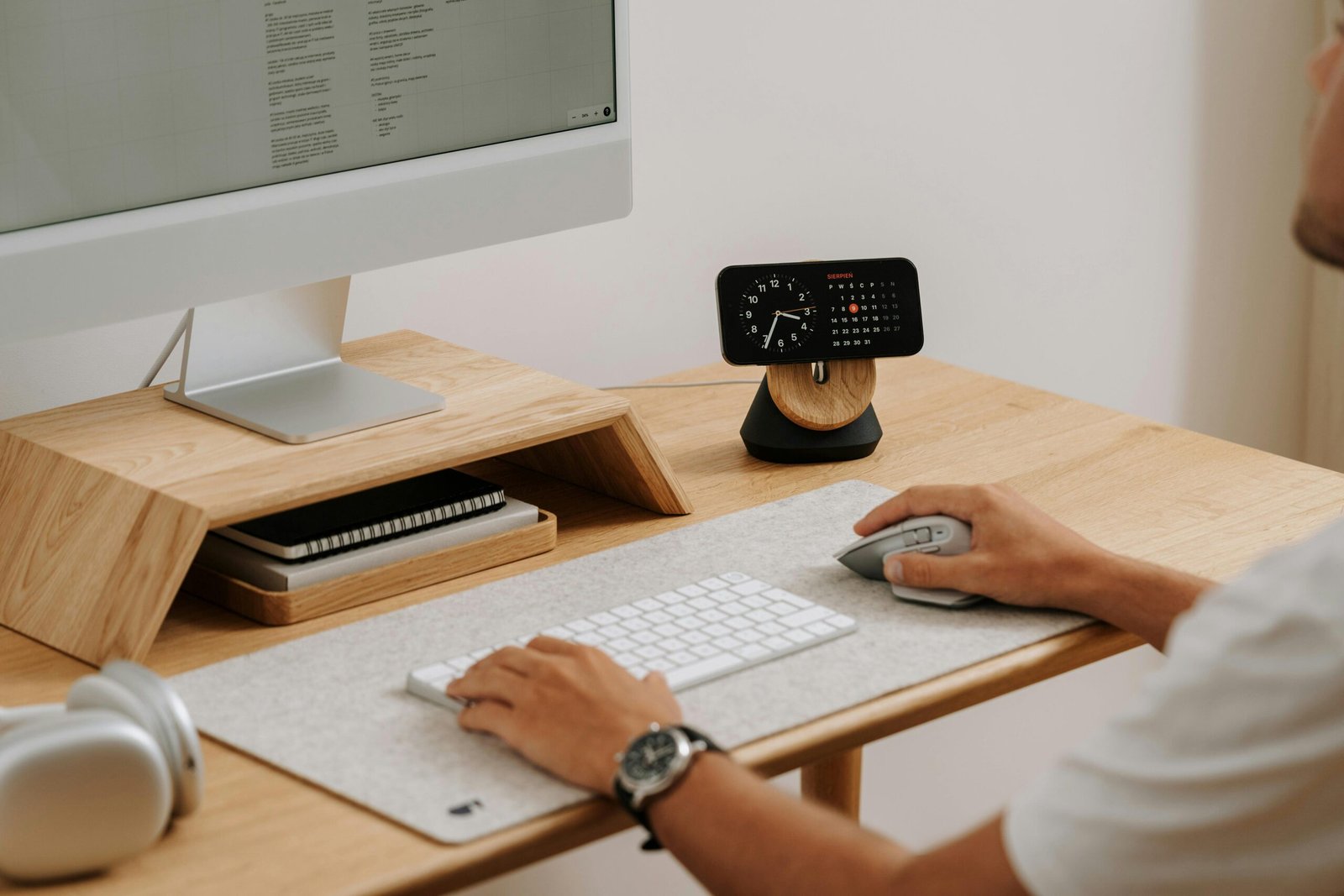
A common mistake in a DIY ergonomic desk setup is incorrect monitor placement. If your screen is too low, you are forced to tilt your head down, creating tension in your neck and shoulders (often called “tech neck”).
- Eye Level: The top third of your monitor screen should be at or slightly below eye level.
- Distance: Place your monitor about an arm’s length away from your face.
- Keyboard Position: Your keyboard should be centered in front of you. When typing, your elbows should be bent at a 90-degree angle, close to your body, not reaching forward.
Step 3: Essential Accessories for an Ergonomic Desk Setup
Once you have the basics, specific accessories can take your ergonomic desk setup to the next level:
- Vertical Mouse: Traditional mice force your wrist into an unnatural twist. A vertical mouse keeps your hand in a “handshake” position, reducing wrist strain.
- Monitor Arm: This allows you to adjust the height and angle of your screen instantly, ensuring you never have to hunch over.
- Laptop Stand: If you work on a laptop, a stand is non-negotiable. It raises the screen to eye level, forcing you to use an external keyboard and mouse for better posture.
Common Mistakes to Avoid
Even with the best gear, bad habits can ruin your ergonomic desk setup. Avoid working from your bed or couch, as these soft surfaces offer zero spinal support. Also, ensure your lighting is adequate. Poor lighting forces you to squint and lean closer to the screen, breaking your ergonomic posture. Aim for natural light or use a monitor light bar to reduce glare.
Conclusion
Investing time and money into a proper ergonomic desk setup is an investment in your long-term health. By choosing the right chair, aligning your monitor correctly, and using supportive accessories, you can transform your daily grind into a comfortable, productive experience. Start building your ideal ergonomic desk setup today, and your body will thank you for years to come.
Check out our News page for more updates
Frequently Asked Questions
Is a standing desk necessary for an ergonomic desk setup? While not strictly necessary, a standing desk is a great addition to any ergonomic desk setup. It allows you to switch between sitting and standing, which improves blood circulation and reduces back fatigue.
How much does a good ergonomic desk setup cost? You don’t need to spend a fortune. Start with a good chair and a laptop stand. You can build a highly effective ergonomic desk setup for under $300 if you prioritize the essentials like lumbar support and monitor alignment.